


Microsoft Copilot is available in Microsoft Edge, on the Copilot website, and across Microsoft 365 apps. If you want to remove old conversations or protect your privacy, Microsoft lets you delete individual chats or clear your entire Copilot activity history. If you don’t use Copilot at all, you can also turn off Copilot in Microsoft Edge.
This guide shows how to delete Copilot conversations, clear all Copilot history, remove Copilot-related search history, and export your activity before deleting it if you want to keep a backup.
What Is Microsoft Copilot Activity History?
Copilot activity history is a record of your interactions with Microsoft Copilot. This includes the prompts (questions or commands) you enter and the responses Copilot generates for you. Your activity history can be created when you:
- Use Copilot in Microsoft Edge
- Chat with Copilot on the Copilot website
- Use Copilot in Microsoft 365 apps like Word, Excel, PowerPoint, Teams, or OneNote
Microsoft stores this data to improve Copilot’s responses and personalize your experience.
Why Delete Your Copilot History?
You may want to delete or clear your Copilot history for several reasons:
- Privacy concerns: You don’t want previous prompts or responses saved to your Microsoft account
- Shared devices: You use Copilot on a shared or work computer
- Cluttered chat history: Too many old conversations make it harder to find recent ones
- Sensitive information: You previously entered personal, financial, or confidential data
How to Delete Your Microsoft Copilot Chat History
You can delete a single Copilot conversation or clear your entire Copilot activity history. The steps are similar whether you use Copilot in Microsoft Edge, on the Copilot website, or in Microsoft 365 apps.
How to Delete an Individual Copilot Chat
To delete a single Copilot chat, follow these steps:
Using Copilot in Microsoft Edge or the Copilot website
- Open Microsoft Edge and click the Copilot icon, or go to the Copilot website.
- Sign in with your Microsoft account if you aren’t already.
- In the left sidebar, find the conversation you want to delete.
- Hover over the conversation and click the View Options (…) icon.
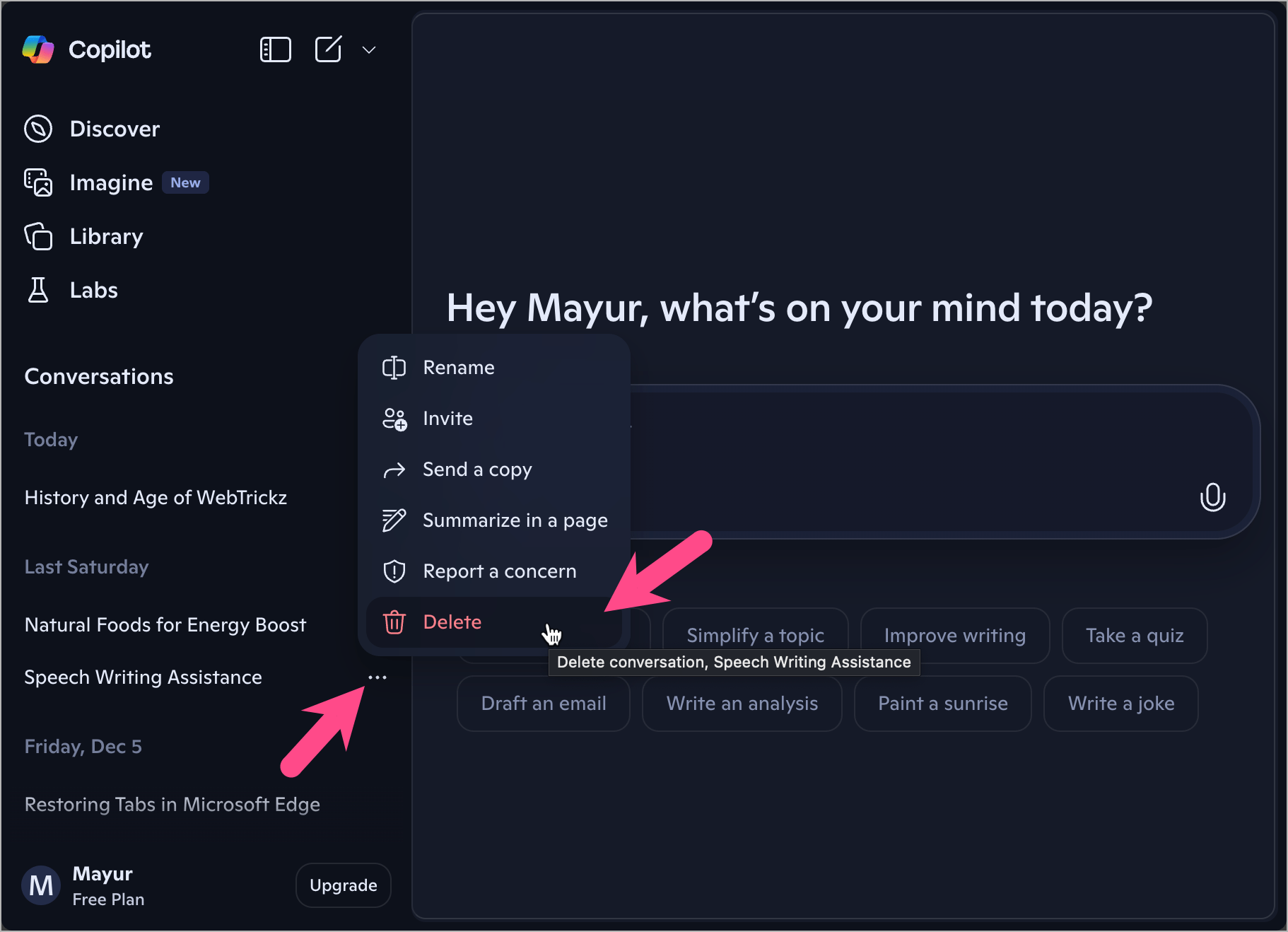
- Select Delete. Click Delete again to remove that specific Copilot chat.
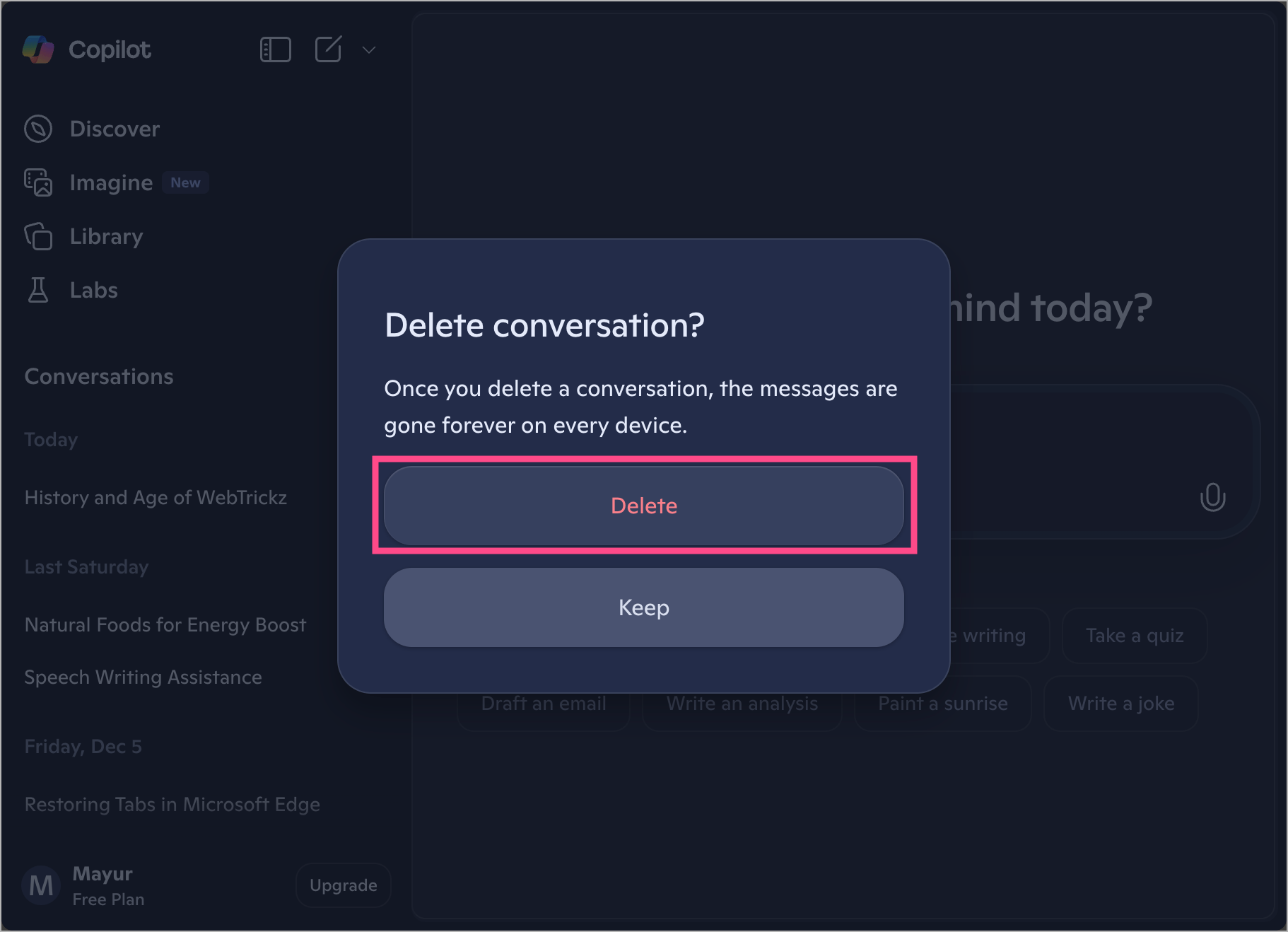
The selected Copilot chat is deleted immediately and can’t be recovered.
How to Delete All Copilot Conversations
To remove every Copilot conversation linked to your Microsoft account, delete your entire Copilot activity history from the Microsoft Privacy Dashboard.
Follow these steps to delete all Copilot conversations:
- Go to the Microsoft Copilot Privacy Dashboard.
- Sign in using your Microsoft account.
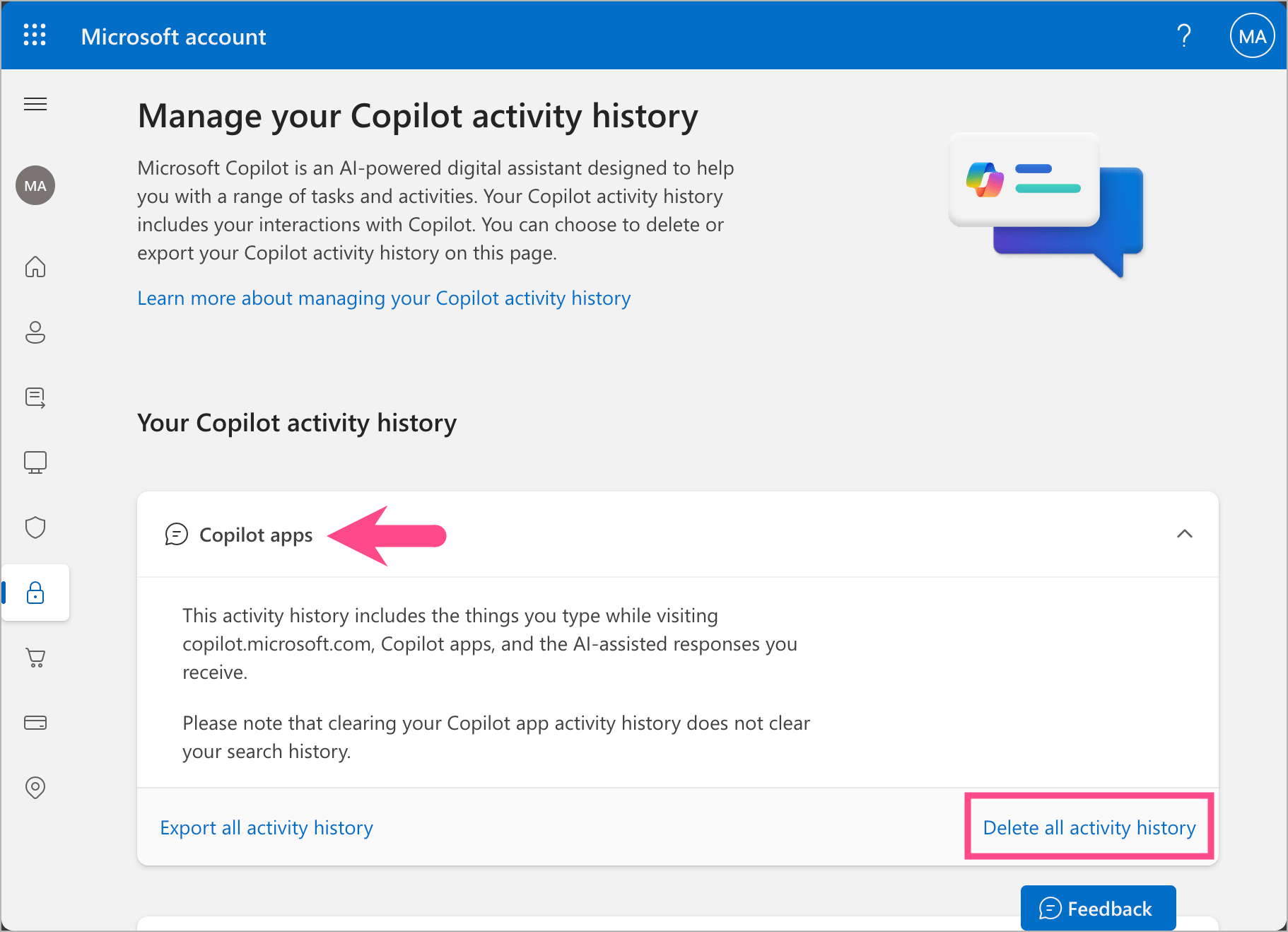
- Expand the Copilot apps section under ‘Your Copilot activity history’.
- (Optional) Click Export all activity history to download your Copilot activity as a CSV file before deleting.
- To delete Copilot history permanently, click Delete all activity history.
- Click Clear to confirm.
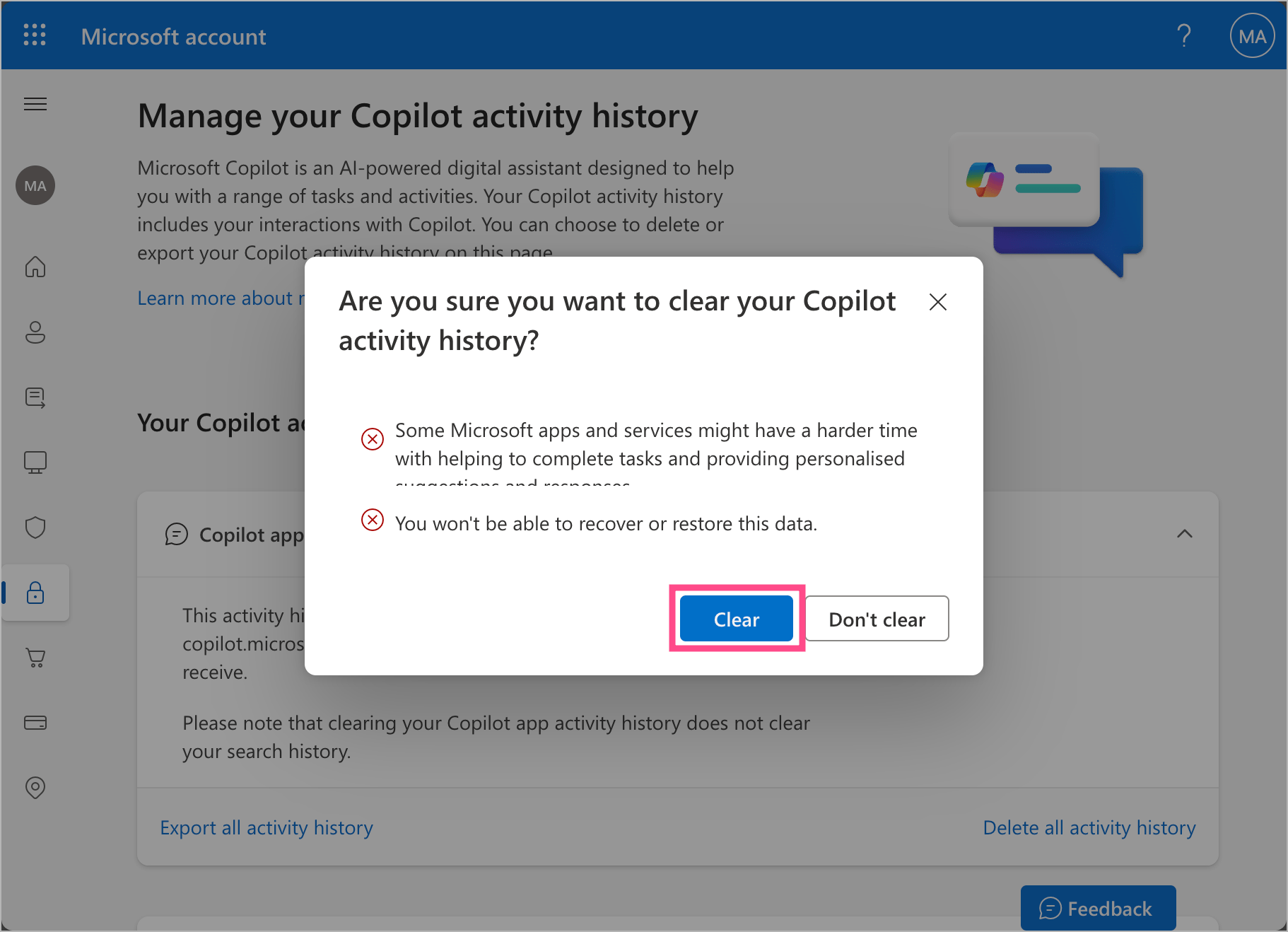
Note: Deleting your Copilot activity history doesn’t remove your Bing search history or Microsoft Edge browsing history. You’ll need to clear those separately.
RELATED: How to Delete Your Search History in Microsoft Edge
How to Delete Microsoft 365 Copilot Activity History and Copilot Chat
Microsoft 365 Copilot activity history includes prompts and responses generated when you use Copilot in Microsoft 365 apps, such as Microsoft Word, Excel, PowerPoint, Teams, OneNote, and the Microsoft 365 Copilot Chat app.
Follow these steps to delete Microsoft 365 Copilot activity history:
- Open the Microsoft Copilot Privacy Dashboard.
- Sign in with the Microsoft account linked to Microsoft 365.
- Locate and expand the Copilot in Microsoft 365 apps section.
- (Optional) Export the apps or chat activity history as a CSV file.
- Click Delete all activity history.
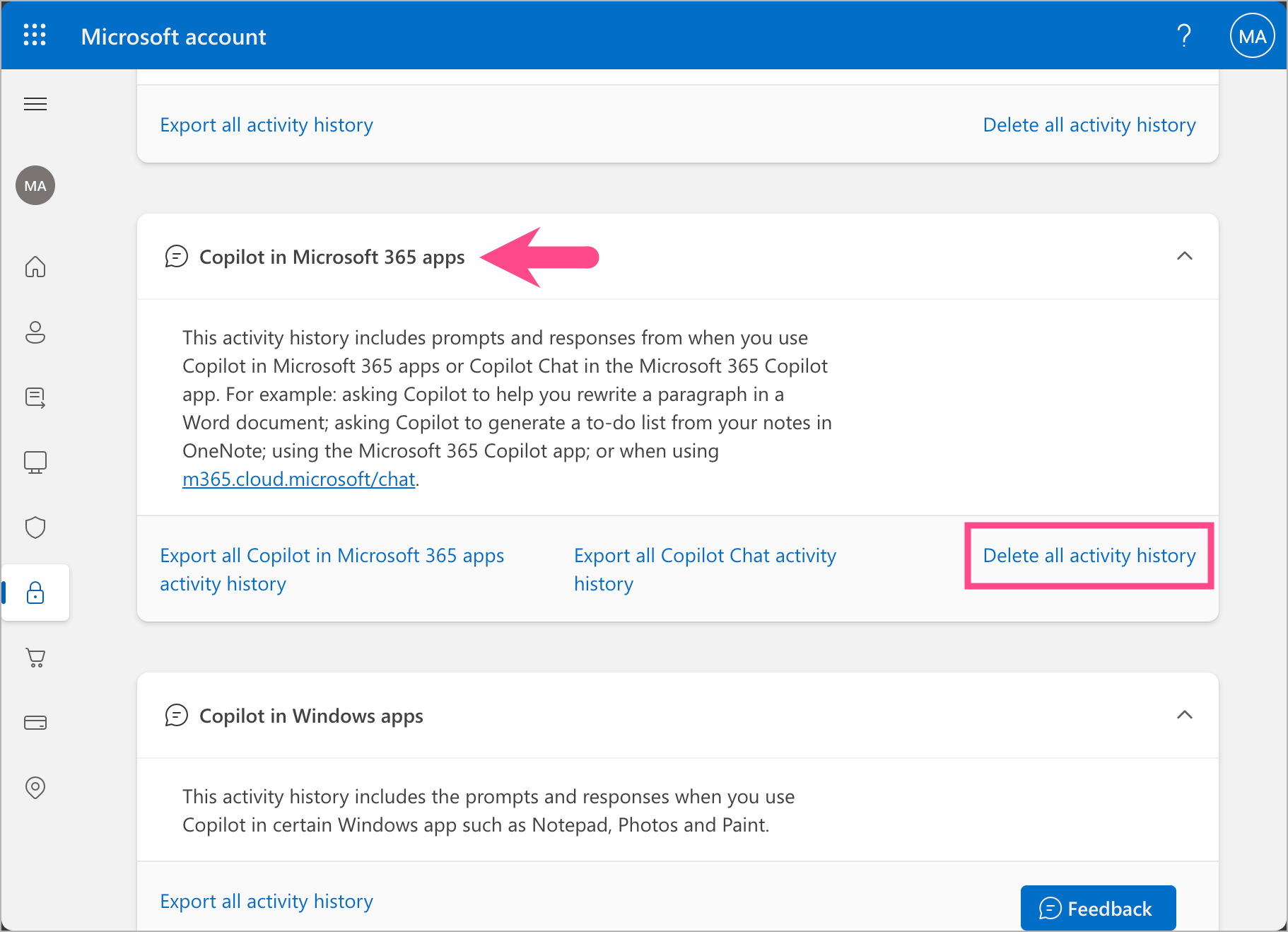
- Click Clear to permanently clear your Copilot activity history.
Your prompts and Copilot responses from Microsoft 365 apps will be permanently deleted.
How to Clear Copilot Browsing and Search History
If you’ve used Copilot with Bing or Copilot Search, related searches may also appear in your Microsoft Search History or browsing activity. Deleting Copilot chats doesn’t remove those searches, so you’ll need to clear them separately.
To remove Copilot-related search queries and browsing history:
- Open the Microsoft Privacy Dashboard (Search & Browsing History).
- Sign in to your Microsoft account.
- Under the Browsing history or Search history section, click Show all activities.
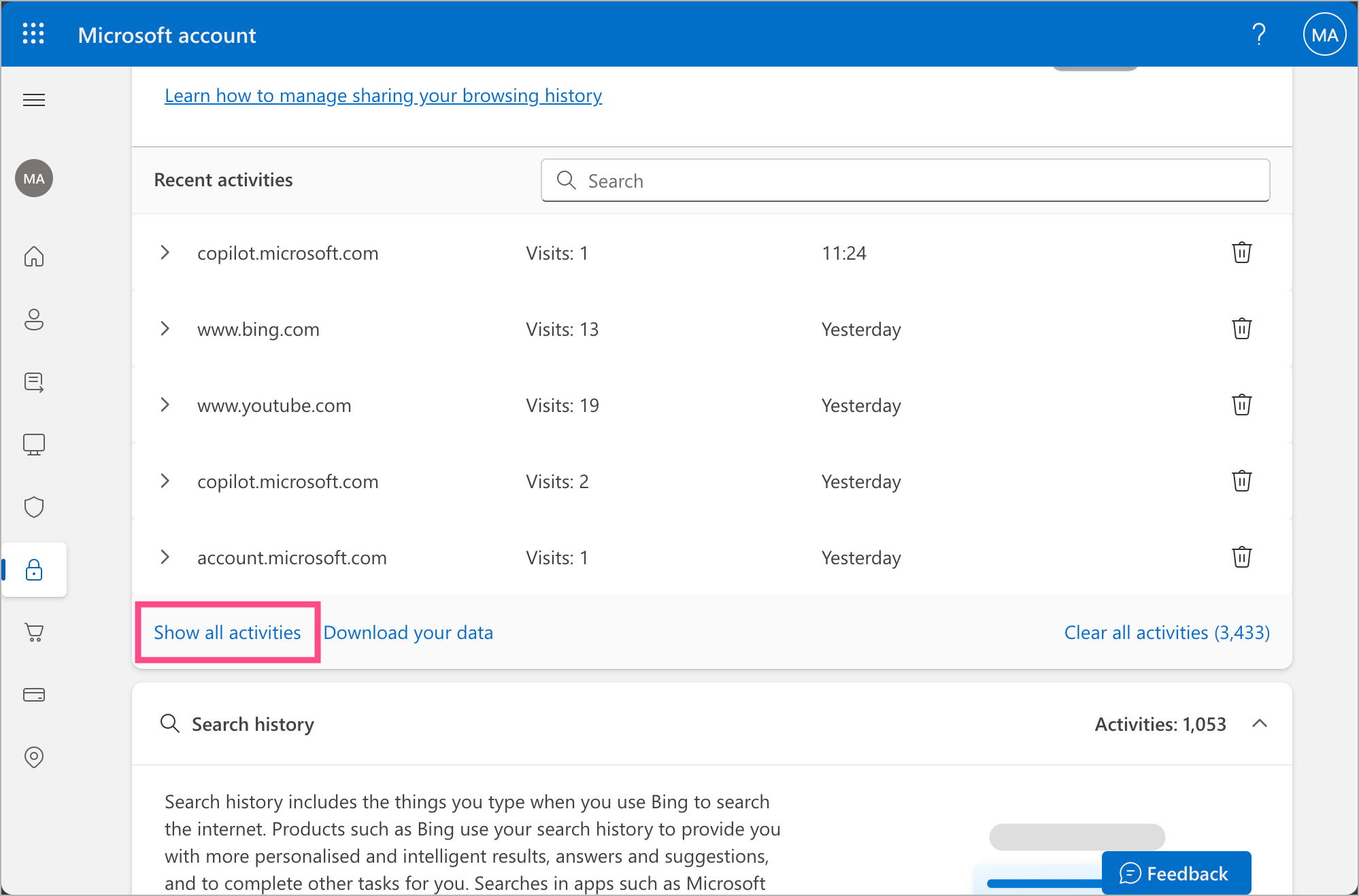
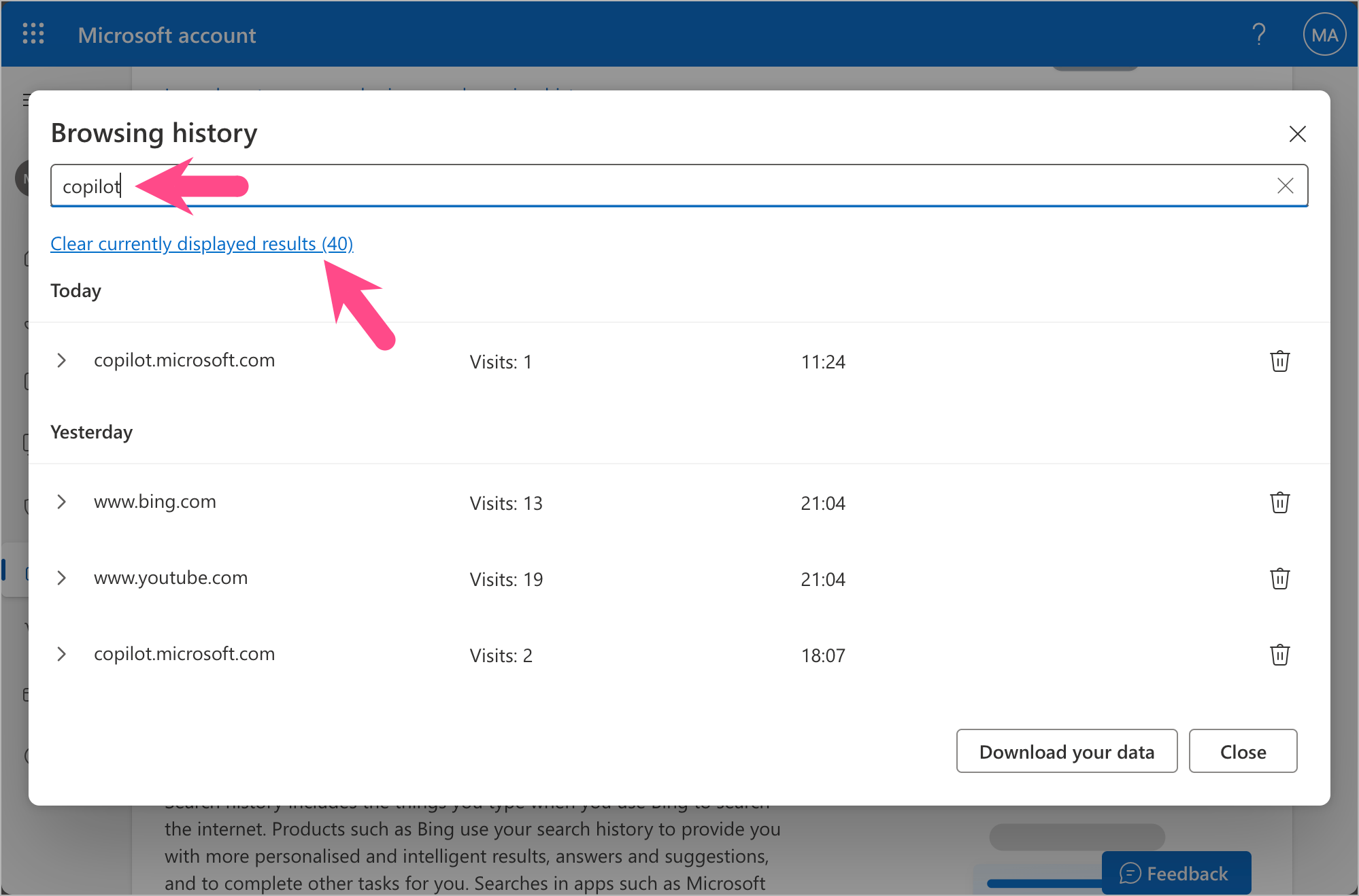
- Use the Search option and search for keywords like Copilot to filter Copilot-related results.
- Select Clear currently displayed results to delete all the filtered results.
- (Optional) Click the Delete option next to a specific search result to delete it individually.
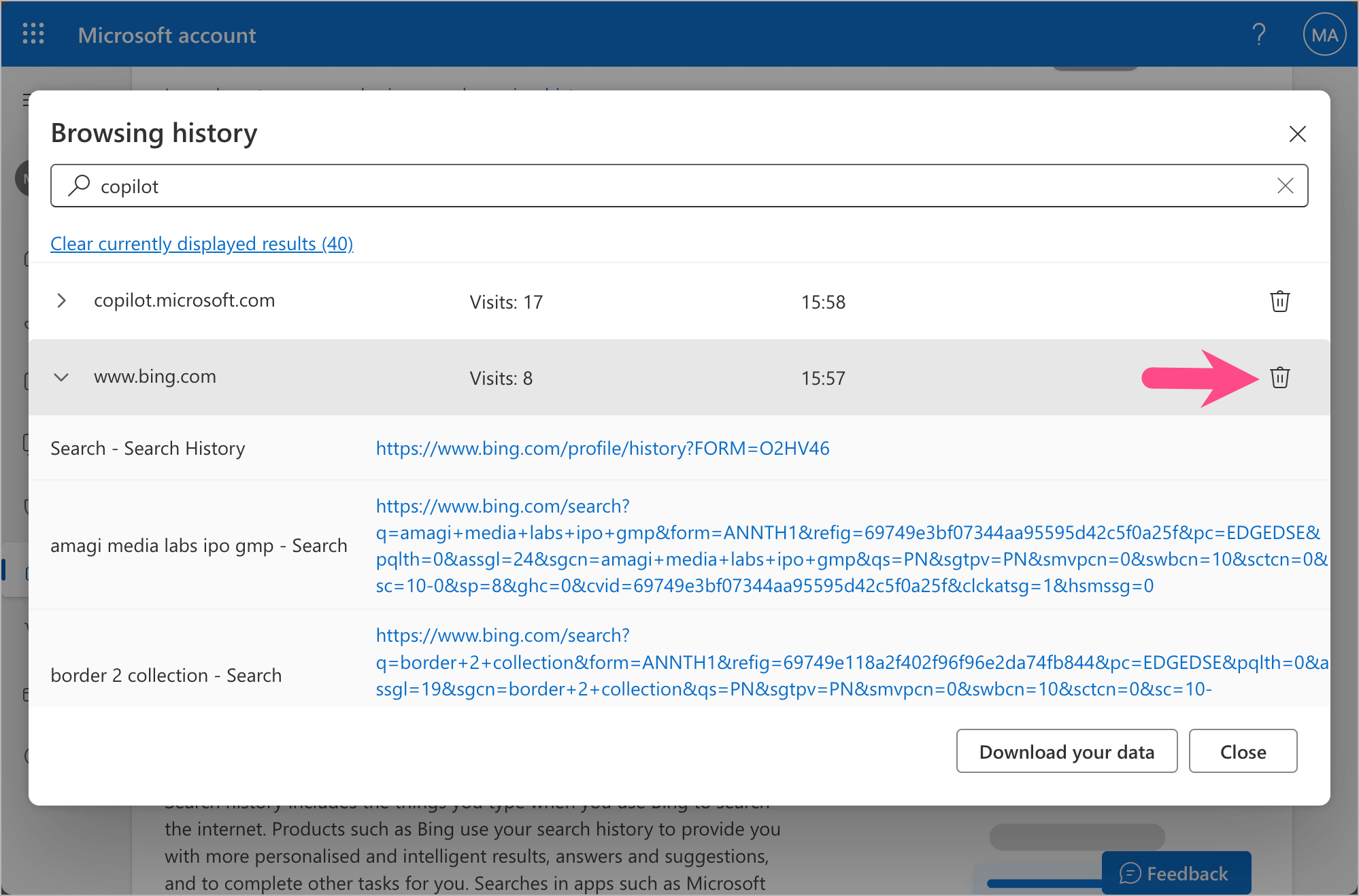
This removes Copilot-related searches and browsing history associated with your Microsoft account.
RELATED: Chrome and Edge extension to remove Copilot from Bing Search
Frequently Asked Questions (FAQs)
Can I Remove Copilot from Microsoft Edge?
No. Microsoft Copilot is a core feature of the Edge browser and cannot be completely removed. However, you can turn off or limit Copilot features in Edge.
Does Deleting Copilot History Remove Bing Search History?
No. Clearing Copilot activity history does not delete your Bing search or browsing history. You must clear web and search activity separately from the Microsoft Privacy Dashboard.
Can I Recover Deleted Copilot Chats?
No. Once you delete a Copilot conversation or clear your activity history, it cannot be recovered. Export your activity as a CSV file before deleting it if you need a backup.
Is Copilot History Shared Across Devices?
Yes. If you are signed in with the same Microsoft account, your Copilot history is synced across devices, including Windows, macOS, and browsers where Copilot is enabled.
Does deleting Copilot history in Edge delete it everywhere?
If you’re signed in with the same Microsoft account, deleting your Copilot activity from the Microsoft Privacy Dashboard removes the associated history across supported Copilot experiences linked to that account, including Microsoft Edge, the Copilot website, and Microsoft 365 apps.








